How to Create a Miniature Smartphone Scene with Google Gemini
Digital art allows creators to build unique, hyper-realistic 8K illustrations with surreal elements. One of the most engaging trends is the miniature smartphone scene, where tiny characters interact with everyday devices. These creations capture attention with their unusual scale, cinematic lighting, and highly detailed textures. Artists can use tools like Google Gemini to bring these imaginative ideas to life, turning simple desk setups into playful and visually striking compositions.
How to Create a Miniature Smartphone Scene with Google Gemini
Step 1: Copy the Prompt for Miniature Smartphone Scene using Google Gemini.
Start by copying the full text of your prompt. You will use it later inside Gemini. The prompt helps Gemini create a Miniature Espresso Scene.
Copy this full prompt:
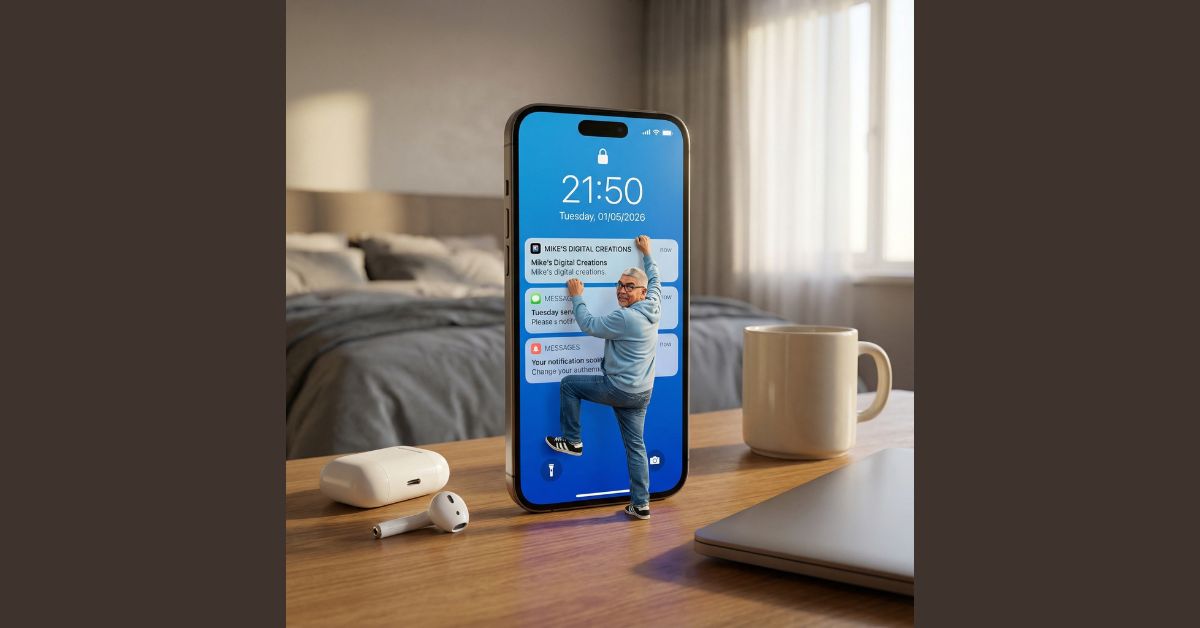
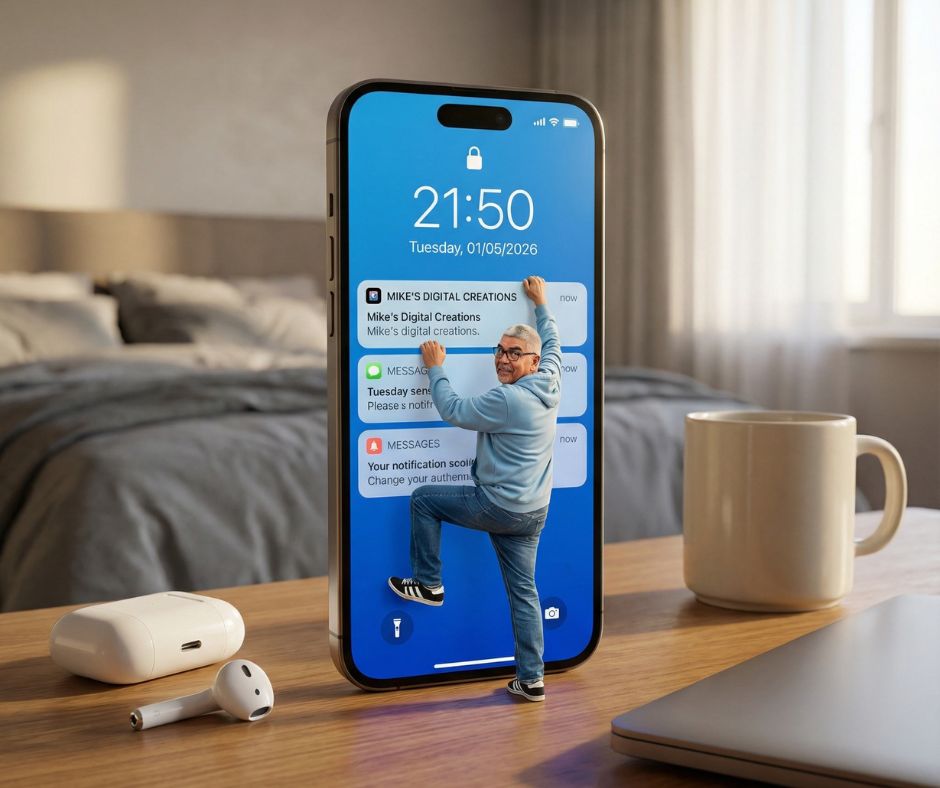
A hyper-realistic, ultra-detailed 8K image with cinematic lighting, captured at eye-level with a slight wide-angle lens. In the foreground, a modern smartphone stands upright on a warm wooden desk, its screen displaying a vibrant blue lock screen showing the time “21:50” and date “Tuesday, 01/05/2026,” with three notification cards. A miniature person, scaled tiny relative to the phone, is actively climbing the top notification card labeled “MIKE’S DIGITAL CREATIONS,” holding it with both hands. The character wears a light blue hoodie, blue jeans, and black-and-white sneakers, looking out at the viewer with an expression of effort and a slight smile. Apply uploaded face reference to the character. On the desk, to the left, a white AirPods charging case with a single AirPod, and to the right, a light beige ceramic mug and the corner of a closed silver laptop are visible. The softly blurred background shows a cozy bedroom with a grey comforter and headboard, and a window with white curtains allowing soft natural light from the right. Emphasize surreal scale contrast, warm volumetric lighting, rich textures on all surfaces, and a slightly whimsical, imaginative mood.
Or you can just click on the COPY button below:
Step 2: Open Google Gemini
Open Google Gemini in your browser. Make sure image generation is available.
Step 3: Upload Your Photo
Upload a clear headshot. Use good light and a neutral face. This step helps facial likeness preservation.
Step 4: Paste the Prompt
Paste the enhanced prompt into Gemini. The clear structure helps AI image generation follow each rule.
Step 5: Wait for Gemini to Generate the Image
Wait for Gemini to create the collage. Review the digital caricature art for pose, emotion, and balance.
This process produces a tiny person climbing phone scenario with rich textures and detailed props. The surreal tech art draws attention to scale contrasts and whimsical elements. Desktop objects like the AirPods charging case, mug, and laptop add realism. Soft natural light and volumetric lighting enhance the scene, creating a cozy environment that balances realism with imaginative play.
Miniature Smartphone Scene Closing Thoughts
This Miniature Espresso Scene prompt shows how clear language shapes strong visuals. It blends cinematic coffee imagery with a playful concept. The scene feels real due to focus on materials, light, and scale. Use this prompt as a base for other ideas like food giants, tiny workers, or café stories. With clean structure and strong detail, your AI image generation prompt can stand out and engage viewers who love surreal coffee art.