How to Create 3D caricature portraits from a Photo
Creating 3D caricature portraits has become easier with AI image tools. With the right prompt, you can turn a single photo into a clean, expressive, and fun visual set. This guide shows how to use Google Gemini to create a polished 3×2 collage with strong facial likeness, clear emotions, and bold style. The steps below focus on clarity, control, and repeatable results, which helps both creators and search engines understand the process.
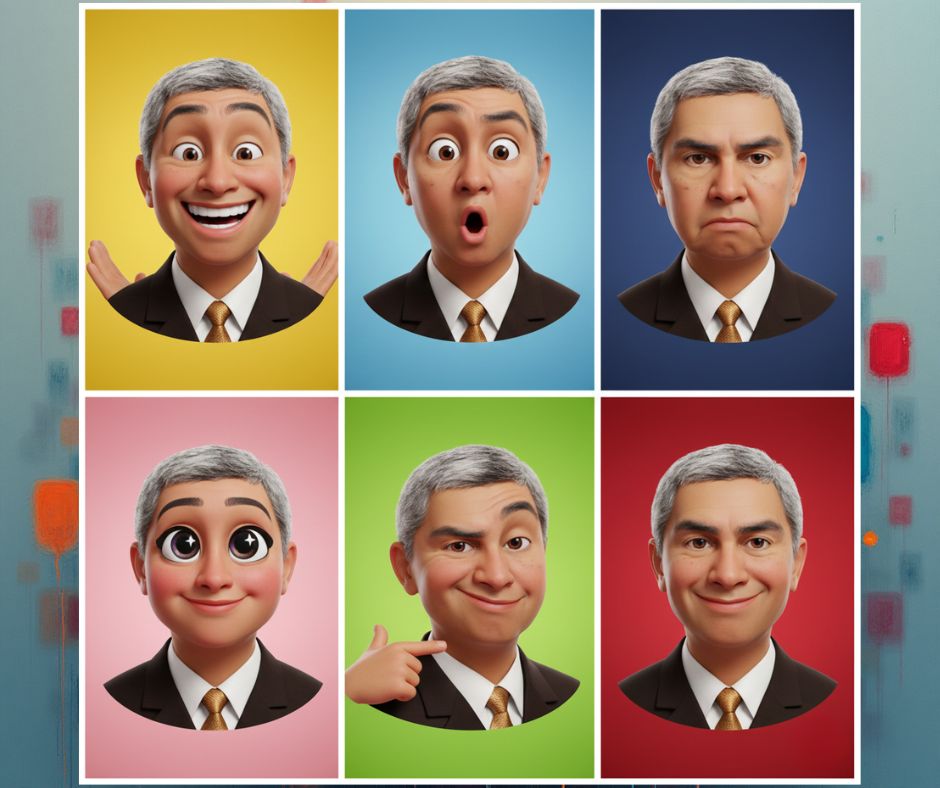
3D Caricature Portraits Introduction
A strong image prompt shapes the final result. Clear words guide AI image generation and improve output quality. This post explains how to create stylized 3D portraits that show emotion, balance, and clean design. You will learn how to apply expressive character poses, keep facial likeness preservation, and achieve a polished 3D render with studio lighting and vibrant background colors. The method works well for profile images, thumbnails, and creative projects.
Step-by-Step Guide
Step 1: Copy the Prompt for 3D caricature portraits that show emotion, balance, and clean design.
Start by copying the full text of your prompt. You will use it later inside Gemini. The prompt helps Gemini create a polished 3×2 collage with strong facial likeness, clear emotions, and bold style.
Copy this full prompt:
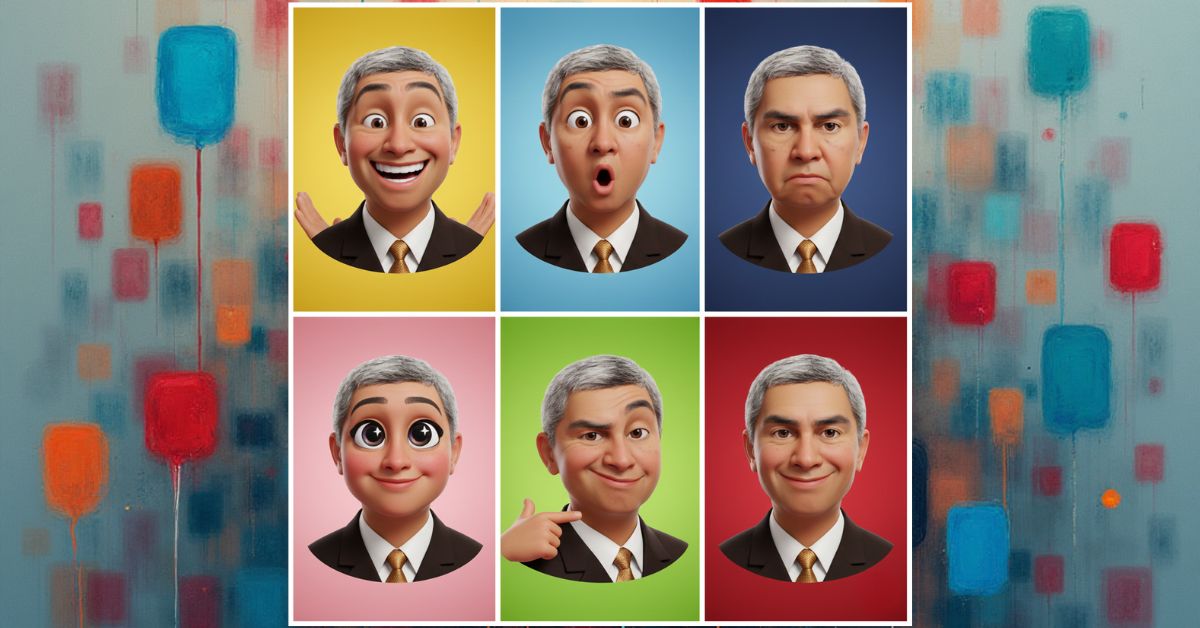
Create a 3×2 collage featuring six stylized 3D caricature portraits based on the attached photo. Maintain strong facial likeness while subtly exaggerating key features for a playful yet refined 3D caricature style.
Each panel should show a distinct expressive pose and emotion: joyful, surprised, serious, cute, sassy, and confident.
Use a smooth, polished 3D finish with clean character design. Apply soft ambient studio lighting with gentle highlights and shadows to add depth without harsh contrast.
Assign bold, vibrant background colors to each panel, with strong contrast and visual balance across the collage.
Render in high resolution, with consistent proportions and an animation-style portrait look.
Or you can just click on the COPY button below:
Step 2: Open Google Gemini
Open Google Gemini in your browser. Make sure image generation is available.
Step 3: Upload Your Photo
Upload a clear headshot. Use good light and a neutral face. This step helps facial likeness preservation.
Step 4: Paste the Prompt
Paste the enhanced prompt into Gemini. The clear structure helps AI image generation follow each rule.
Step 5: Wait for Gemini to Generate the Image
Wait for Gemini to create the collage. Review the digital caricature art for pose, emotion, and balance.
3D Caricature Portraits Closing Thoughts
This method helps you create 3D caricature portraits with control and style. The prompt supports character design, clear emotion, and a smooth finish. You gain strong results without complex steps. Use this process for social media, branding, or creative posts. With practice, you can refine poses, colors, and mood while keeping a clean and readable workflow.
3D Caricature Art | AI Image Prompts | Google Gemini Creations